Plug-ins › MASHUP Buildup
MASHUP Buildup plug-in
Made by DJ MAD

MASHUP Buildup

One knob. Full buildup.

A complete tempo-synced transition instrument that combines noise, a musical riser, filtering, delay and reverb behind one performance-ready Build Intensity control.

Own it forever
Try Free for 3 DaysNo card required
One central macroBuild Intensity 0–100
Tempo synchronizedRise, release and delay
Key-aware movementScale and root controls
AU + VST3Apple Silicon + Intel
Why it is so easy

Build the tension without building an effect chain.

MASHUP Buildup turns the complicated work behind a professional transition into three clear decisions.

1

Choose the character

Select the noise color, oscillator, delay division, musical scale and key.

2

Balance the layers

Set the Noise, Riser, Delay, Reverb and Dry amounts for the track.

3

Build or trigger

Move Build Intensity yourself, automate it, or launch a perfectly timed rise.
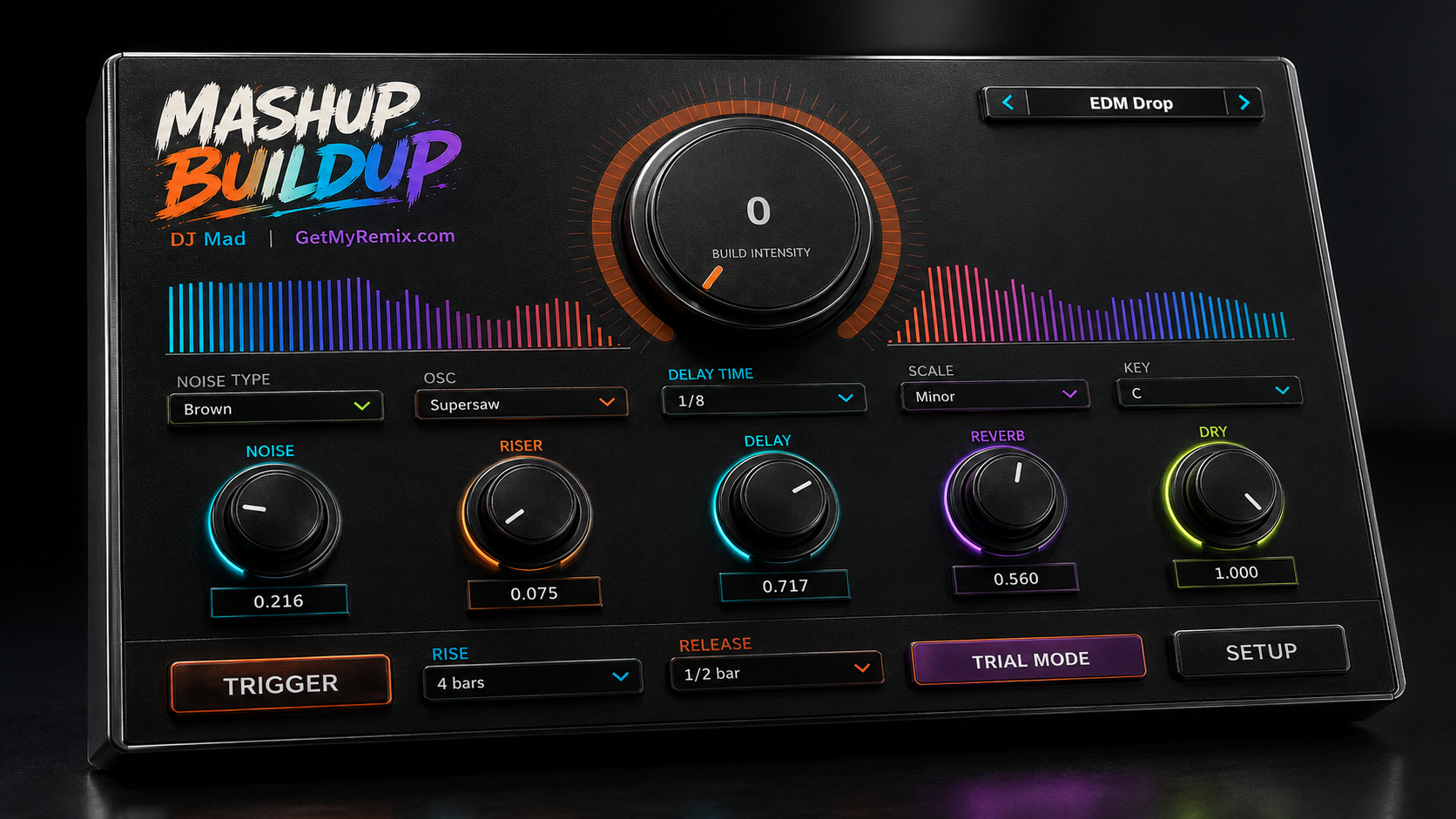
Complete MASHUP Buildup interface
Everything in one view

Built for the moment before the drop.

The main interface keeps the performance controls visible at once: preset navigation, live spectrum feedback, the Build Intensity macro, five layer controls, musical selectors, Trigger, Rise, Release and Setup.

Watch it in action
In-action walkthrough coming soon

Ready to build the next transition?

Own MASHUP Buildup or try every feature free for three days.
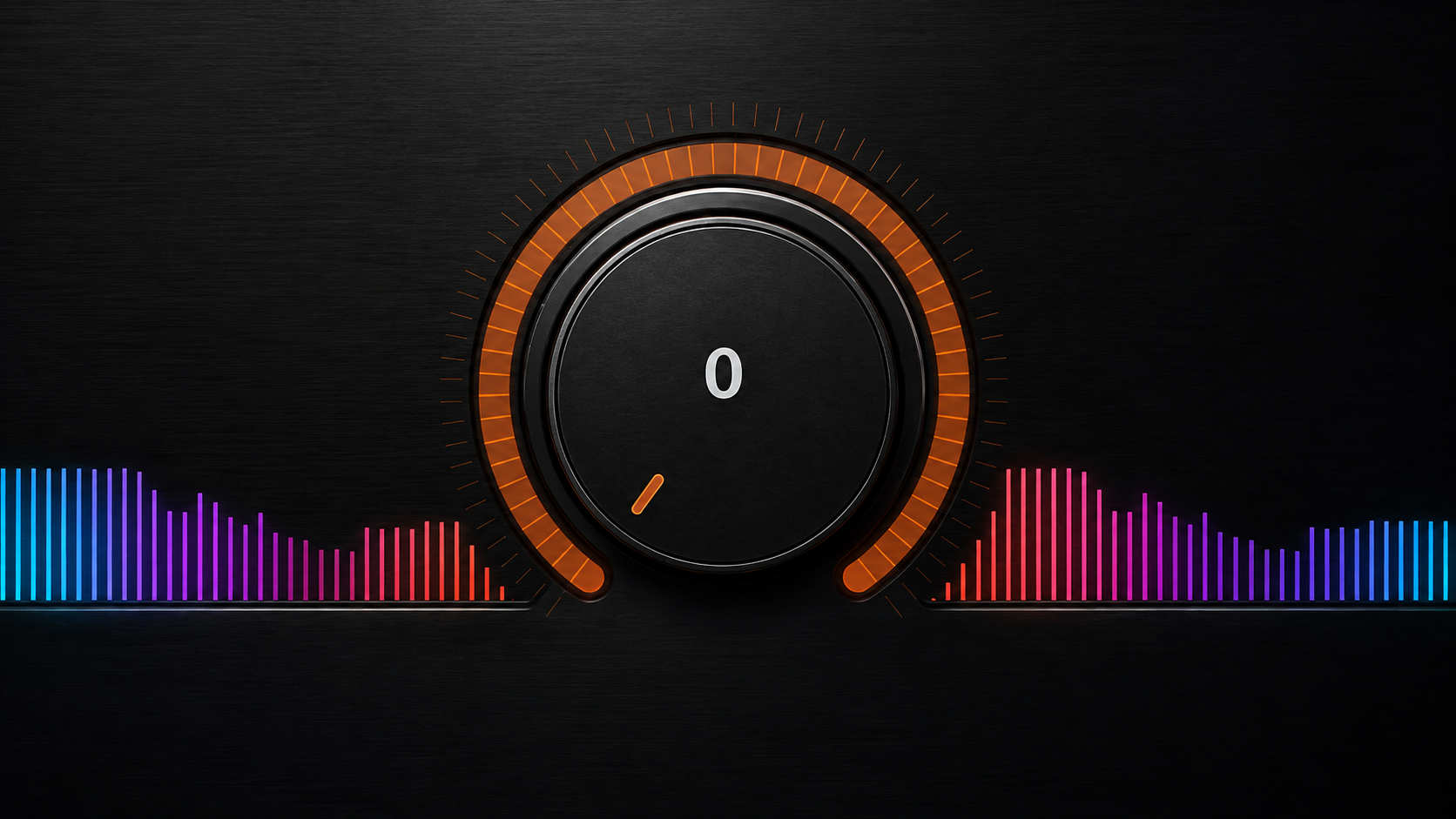
Build Intensity macro and music-reactive spectrum
The center of the performance

Build Intensity moves the whole transition.

The 0–100 macro raises the buildup as one connected gesture. Its segmented LED ring clearly shows the current position while the left and right spectrum displays react to the music.

Play it liveGrab one control and raise the energy by feel.
Automate itWrite repeatable buildup moves directly in your DAW.
See the responseVisual feedback follows both the music and the buildup.
Make it fit the record

Choose the tone, timing and musical key.

These selectors define the raw material of the buildup before you perform it.
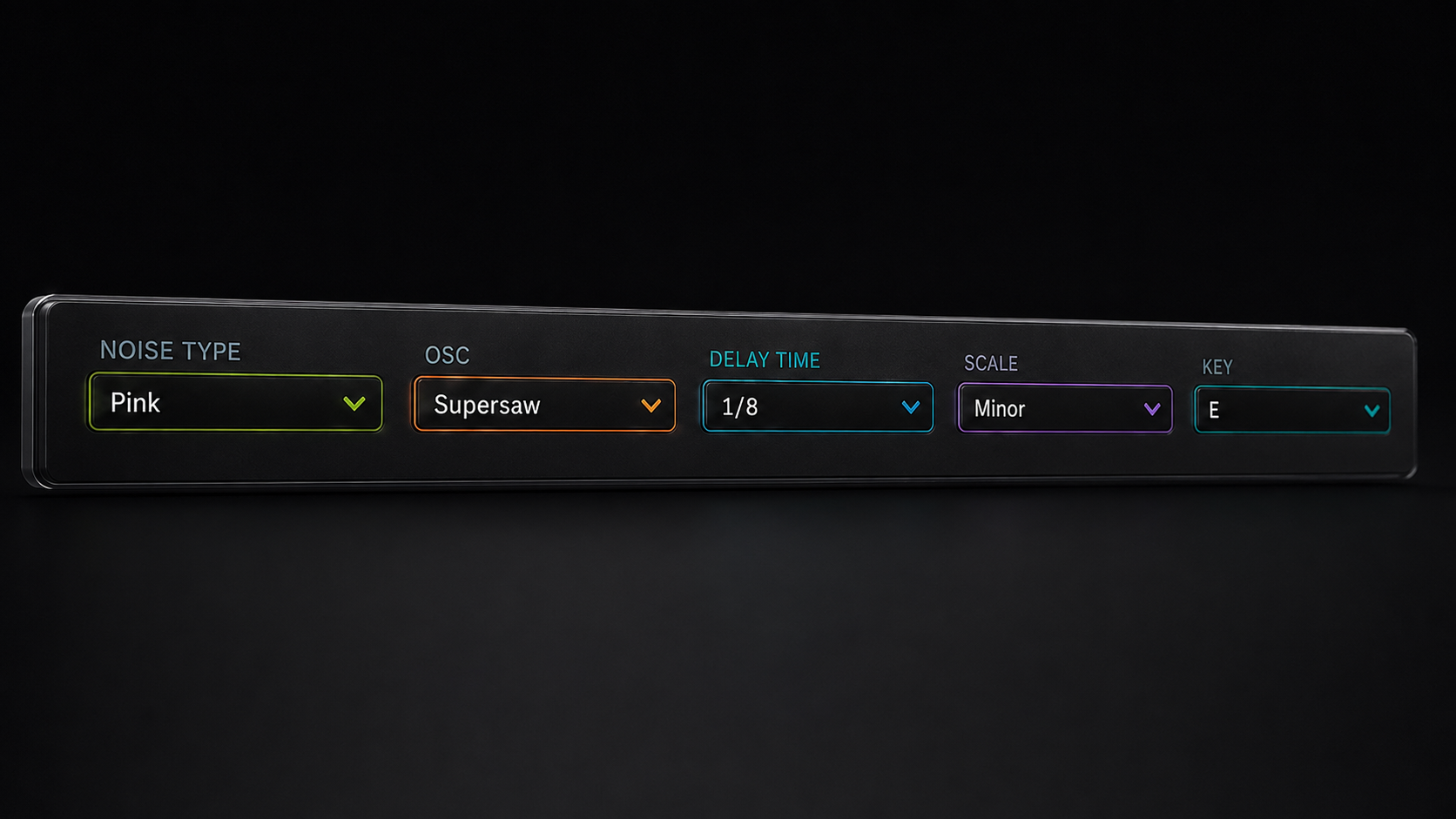
Noise TypeChanges the texture and color of the rushing noise layer.
OSCSelects the oscillator voice used for the tonal riser.
Delay TimeLocks the delay to a musical subdivision of the host tempo.
Scale + KeyKeeps the riser movement related to the song instead of sounding random.
Noise oscillator delay scale and key selectors
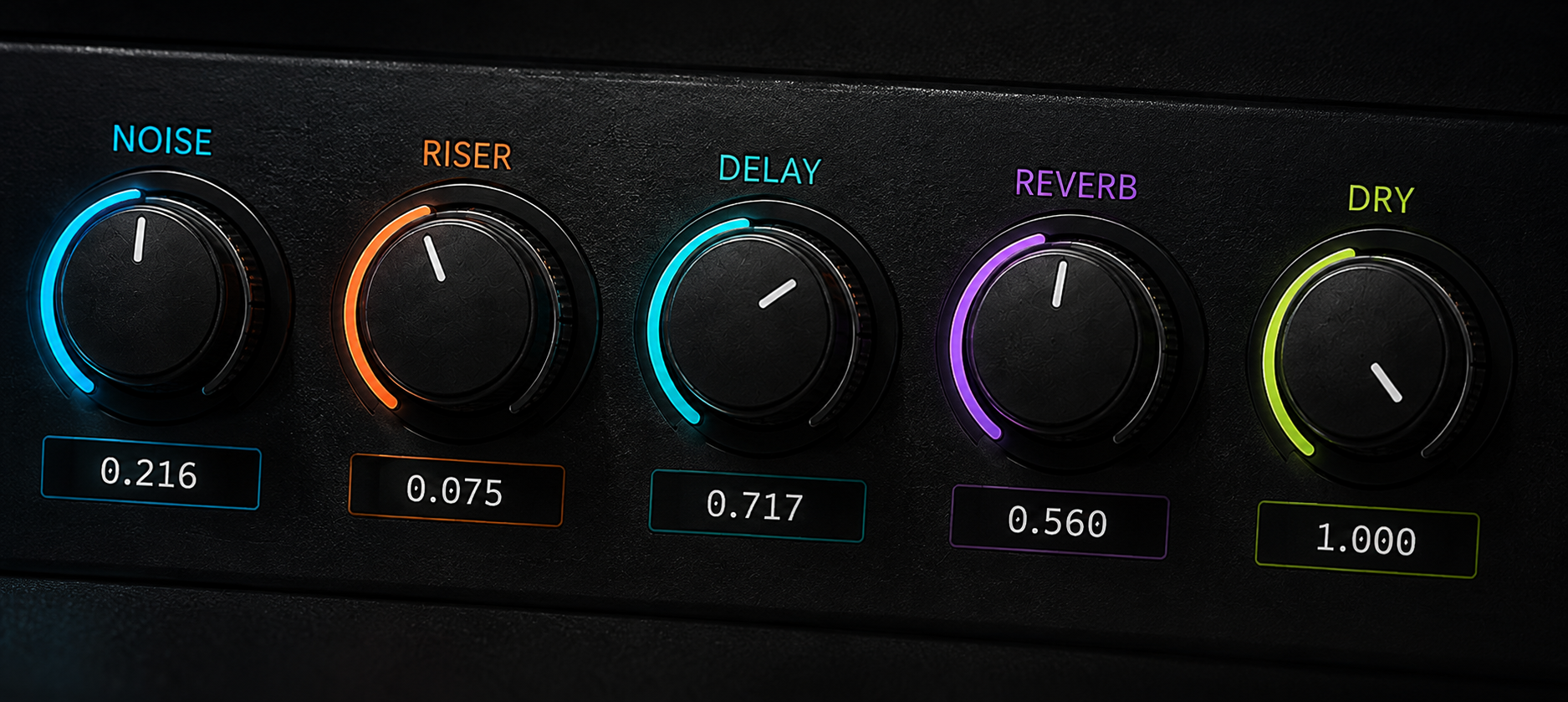
Noise riser delay reverb and dry controls
Five color-coded layers

Shape the buildup without losing the track.

Each knob has one clear job, so you can hear and control exactly what is being added.
NoiseAdds air, rush and broadband energy.
RiserAdds the musical climb toward the transition.
Delay + ReverbCreate rhythmic motion, width and an expanding tail.
DryKeeps the original music present underneath the effect.
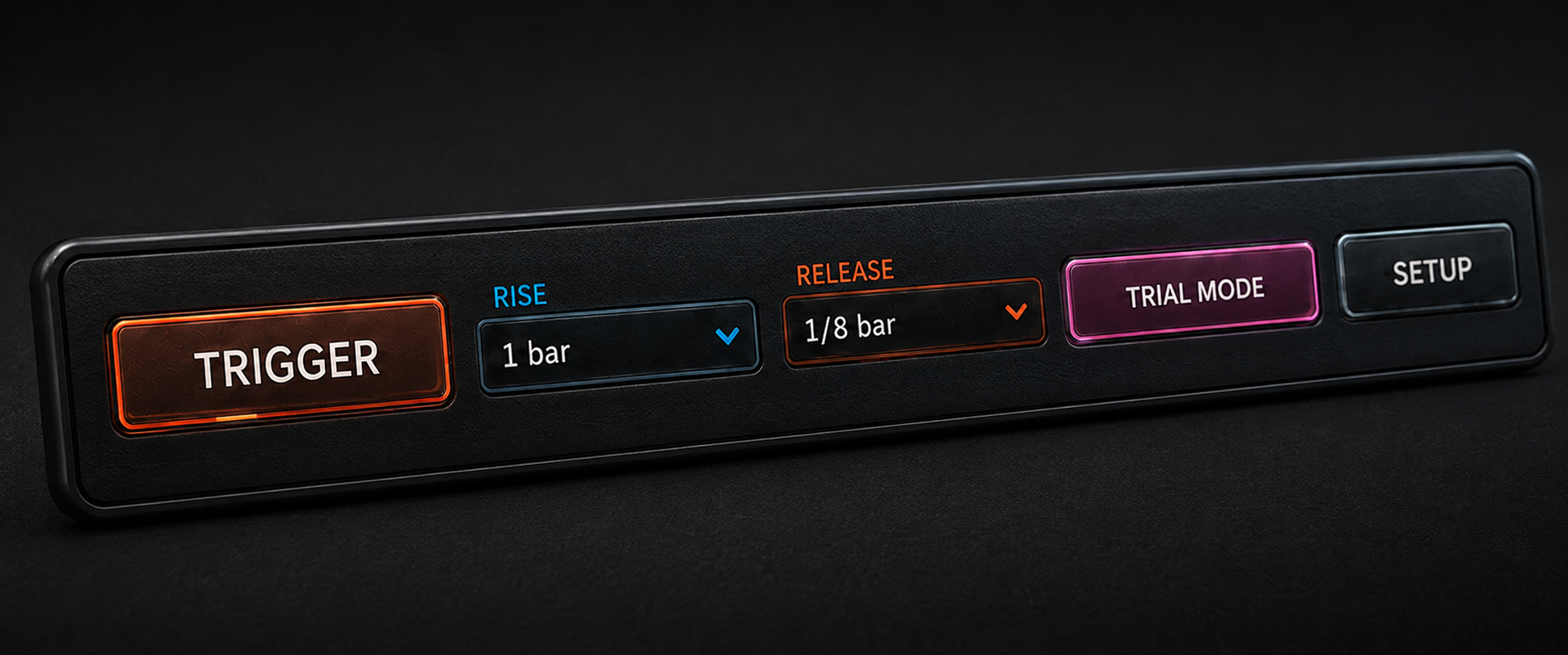
Trigger rise release trial status and setup controls
Performance row

Trigger it and land it on time.

Choose the Rise duration and Release length, then press Trigger to perform the complete movement. The progress indicator inside the Trigger button shows where the buildup is while it runs. Setup opens the deeper sound-design page when you want it.
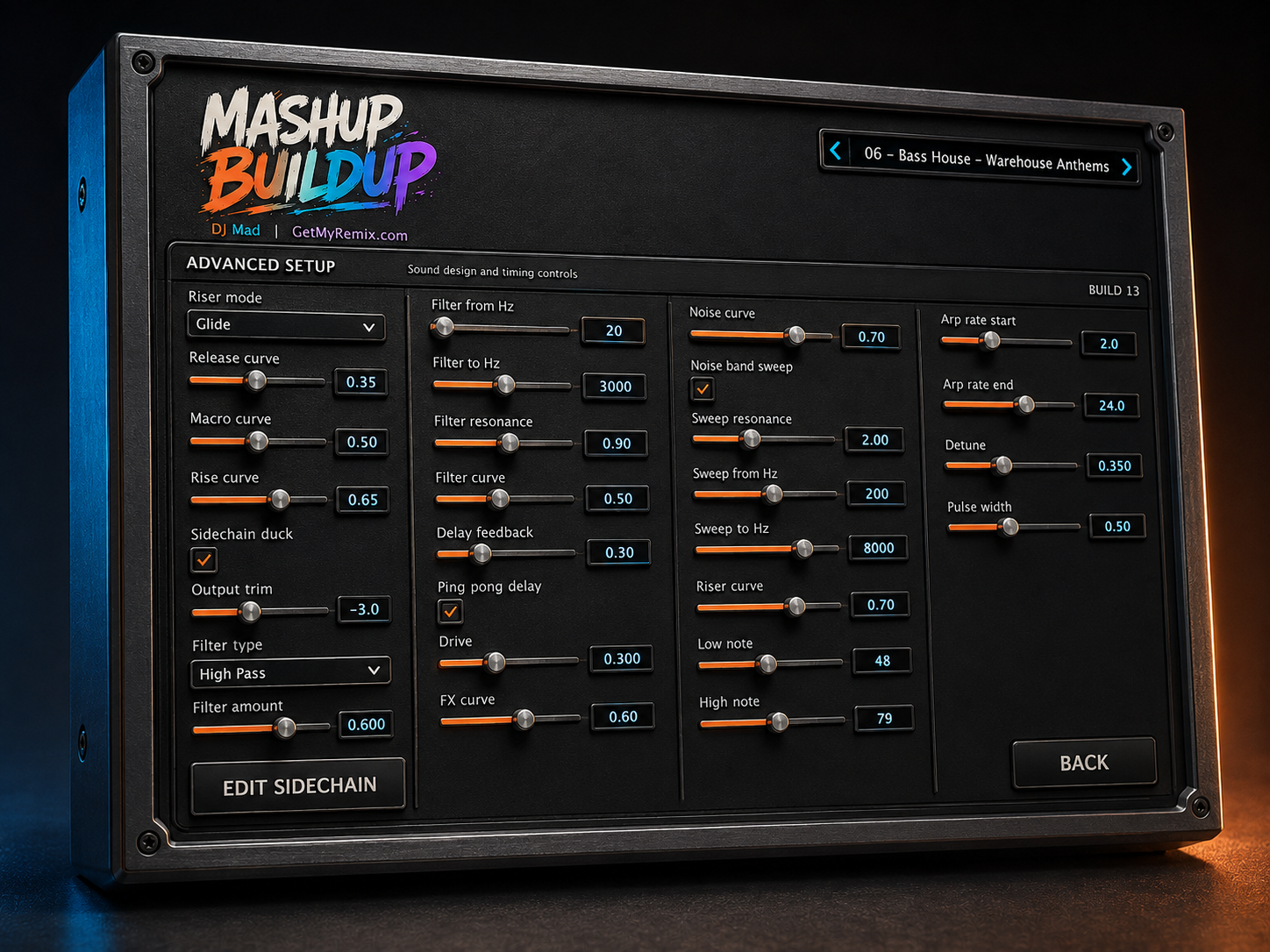
MASHUP Buildup Advanced Setup controls rendered in 3D
Advanced Setup

Deep control when you want it.

Open Setup when you want to design the movement in detail, then return to the clean performance page with your sound ready to play.

Riser + macro movementChoose the riser mode, shape the rise and release curves, and tune how the main Build Intensity control responds.
Filter characterSelect the filter type and sweep, then set resonance and drive for anything from a smooth lift to an aggressive climb.
Delay + FX motionControl delay feedback and movement across the effects so the space grows with the buildup.
Noise + sidechainShape the noise sweep and open Edit Sidechain for a beat-locked duck that fits the groove.
Oscillator detailSet pitch range, arp rate, detune and pulse width to match the musical style of the track.
Output trimMatch the final level to the incoming track while keeping your creative settings intact.
Beat-locked sidechain

Draw the pump without losing the grid.

The one-beat envelope stays locked to the song tempo while you shape exactly how deep, short or wide the duck feels.
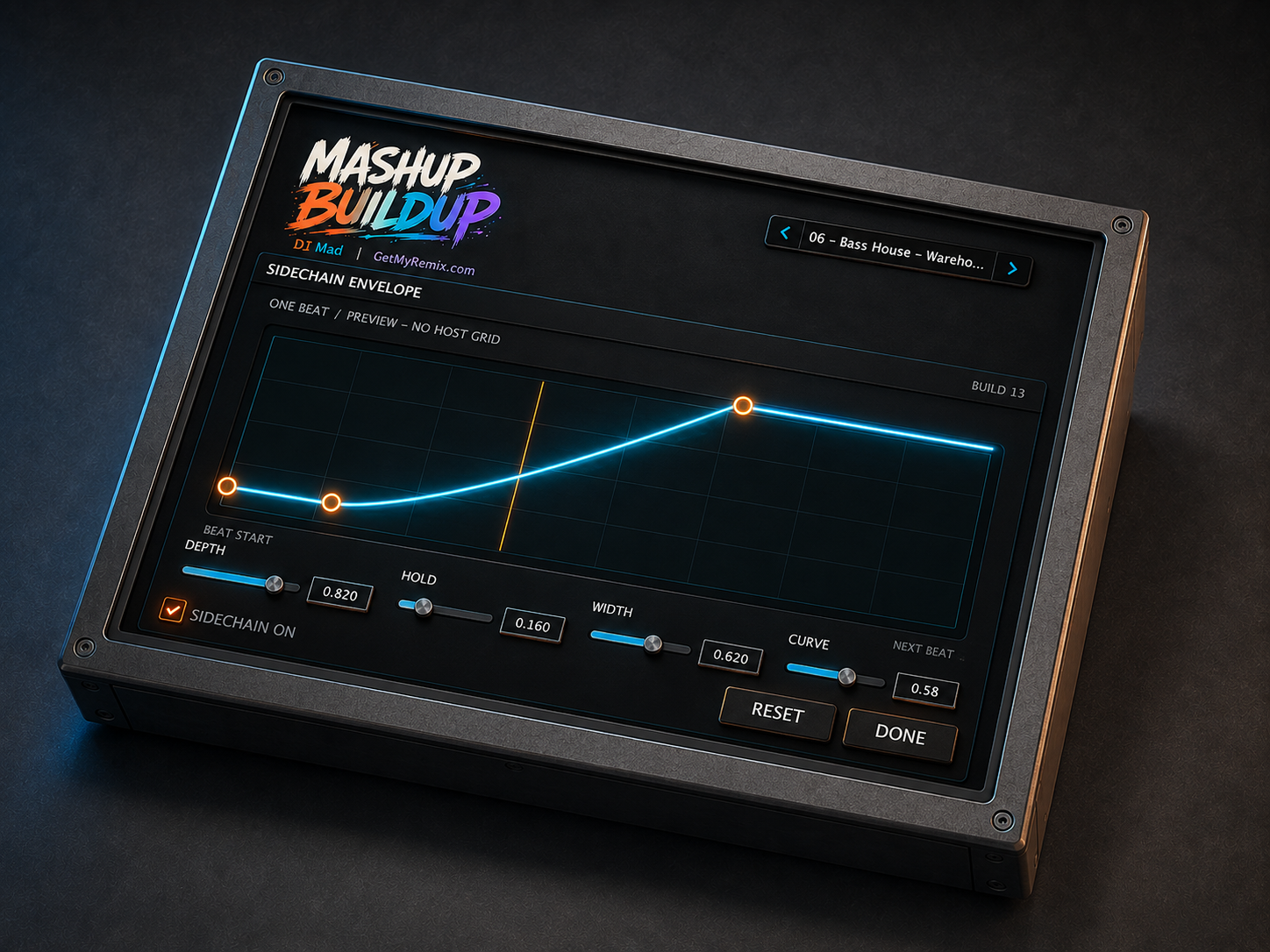
One-beat timingThe envelope repeats predictably on every beat.
Four direct controlsSet Depth, Hold, Width and Curve without changing the pulse rate.
Visible cue pointsDrag the envelope points and see the recovery shape before you play.
MASHUP Buildup one-beat Sidechain Envelope editor rendered in 3D

Make the drop feel bigger.

Use the complete workflow now, or take the full three-day trial first.

Complete control map

Every function has a purpose.

Start with a preset and the main macro. Open Setup only when you want to design the movement in detail.

Preset browser

Loads a ready starting point, with previous and next controls for fast auditioning.

Build Intensity

Controls the overall buildup movement from 0 to 100.

Live spectrum

Shows music-reactive energy on both sides of the macro.

Noise Type

Selects the noise texture used in the transition.

OSC

Selects the sound source for the tonal riser.

Delay Time

Sets tempo-synchronized delay timing.

Scale + Key

Defines the musical context for pitched movement.

Five layer knobs

Balance Noise, Riser, Delay, Reverb and Dry independently.

Trigger

Launches a complete timed buildup with visible progress.

Rise

Sets how long the buildup takes to reach its peak.

Release

Sets how quickly the effect clears after the peak.

Setup

Opens the detailed timing, filter, sidechain and synthesis controls.

Compatibility + license

Ready for modern Mac production.

Plug-in formatsAudio Units (AU) and VST3.
macOS requirementmacOS 13 or later.
Mac processorsApple Silicon and Intel.
License seatsActivation on up to two computers.
Product essentials

Guide and release history.

Use the complete guide for installation, activation and every control. Check release notes for version changes and compatibility updates.
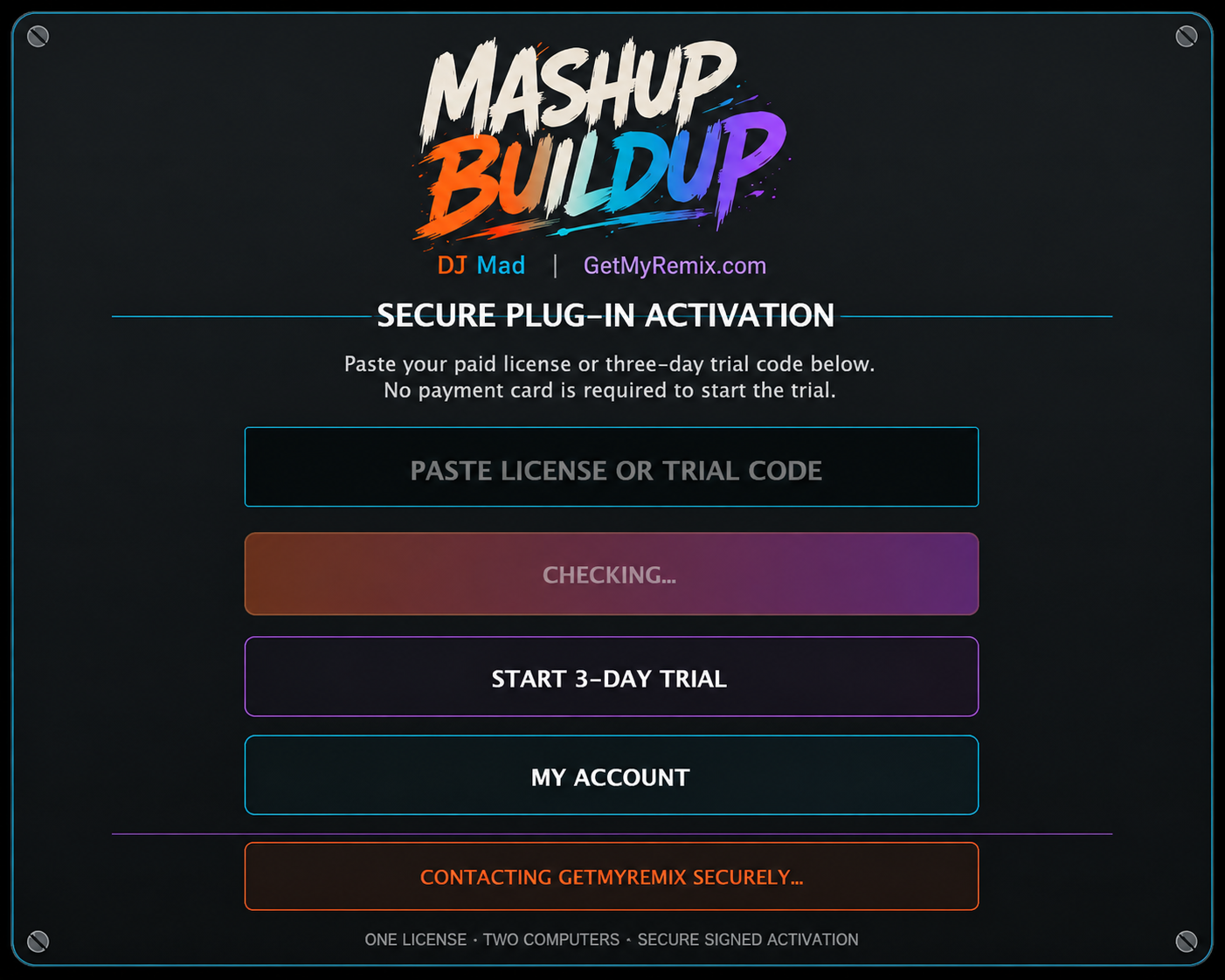
MASHUP Buildup secure activation and three-day trial screen
Simple, secure activation

Try the complete plug-in for three days.

Create or sign in to your GetMyRemix account, generate your personal trial serial, and paste it into this screen. No payment card is required, and the 72-hour timer starts only after the first successful activation. The trial unlocks the full feature set, including Advanced Setup and the Sidechain Envelope. When you buy, enter the paid serial into the same installation—there is nothing new to download.

Full-feature trialUse every control for three complete days.
Timer starts on activationGenerating the serial does not start your trial.
One installerThe same AU and VST3 handle trial and paid use.
Two-computer licenseA paid serial activates up to two computers.
Build your toolkit

More GetMyRemix Plug-ins.

Explore more focused tools made for DJs, remixers and producers.

PRODUCT COMMUNITY

Help shape MASHUP Buildup

Share feedback, request improvements, report an issue, or learn from other users.

Open the community
Select a track to preview
0:000:00
Instagram